Beyond Code: How MCP Servers Unlock Claude's Full Creative Potential
When most people think of Claude, they picture a powerful coding assistant. Indeed, Claude Code has earned a stellar reputation for writing and debugging software. But focusing solely on code misses the bigger picture. Claude's true breakthrough lies not in its ability to generate JavaScript or Python, but in its capacity to interact with the world through a growing ecosystem of MCP servers. These servers transform Claude from a chatbot into a versatile tool that can edit photos, manage files, query databases, and much more.
What Are MCP Servers?
MCP stands for Model Context Protocol, an open standard that allows large language models like Claude to communicate with external applications and services. Think of MCP servers as adapters that plug into Claude's core reasoning engine. Each server exposes a set of tools – actions that Claude can invoke to read data, modify files, or control software. Instead of just generating text, Claude can now say “I’ll use the photo editor tool to crop this image” and actually execute the operation.
Why MCP Unlocks a New Superpower
Claude's “superpower” isn't raw intelligence – it's agency. With MCP, Claude becomes an active participant in your workflow. Here are the key areas where MCP servers make a dramatic difference:
Photo Editing Beyond Expectations
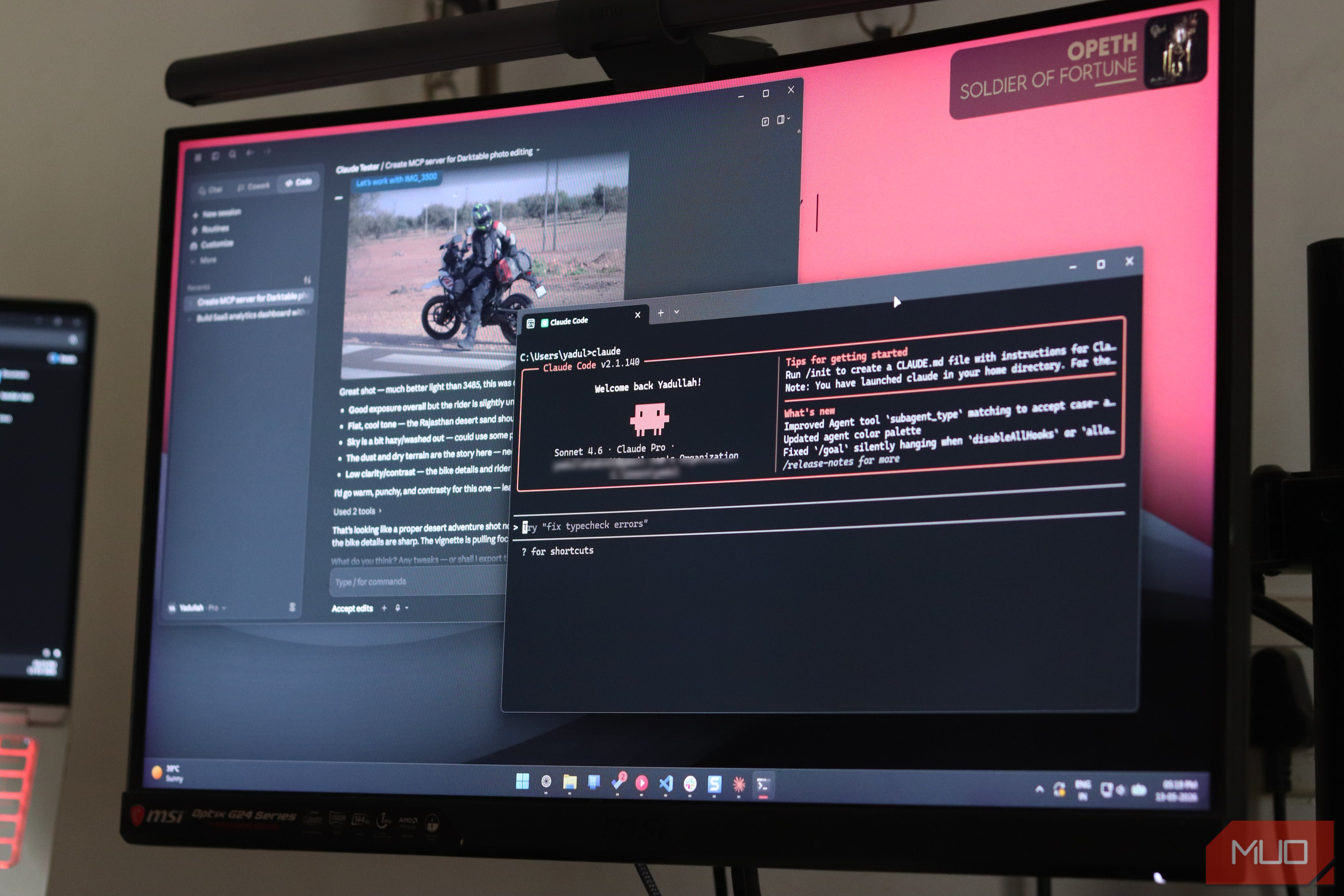
One of the most surprising applications is image manipulation. By connecting to an MCP server for image processing (e.g., Pillow or a web-based editor API), Claude can open, analyze, and modify photos with surprising fidelity. You can describe what you want – “remove the background, add a warm filter, and resize to 800×600 pixels” – and Claude will coordinate the necessary steps. The result is a shockingly good photo editor that understands natural language instructions.
File and Data Management
MCP servers also let Claude read and write files, manage folders, and interact with databases. This turns Claude into a personal assistant that can organize your documents, merge CSV files, or even run SQL queries. No more switching between tools – just tell Claude what you need.
Integration with Third-Party Services
Servers exist for Slack, GitHub, Jira, and many other platforms. Claude can open tickets, send messages, or commit code changes on your behalf. This makes Claude a powerful bridge between your human intent and the digital tools you rely on every day.
Real-World Examples of MCP-Enhanced Claude
To appreciate the shift, consider a few practical scenarios:
- Photo editing on the fly: A designer explains a complex layer mask and color adjustment verbally. Claude executes the edits using an MCP server, saving hours of manual clicking.
- Automated report generation: Claude queries a database via an MCP server, pulls sales data, creates a chart (using another server), and compiles a PDF report – all from a single instruction.
- DevOps assistance: Developers ask Claude to check server logs, restart a service, or deploy a container. MCP servers give Claude direct access to command-line tools.
How to Start Using MCP Servers with Claude
Getting started is straightforward. Most MCP servers are open-source and can be found on repositories like GitHub. Here's a quick checklist:

- Identify your needs. What external capability do you want Claude to have? Photo editing, file management, web scraping?
- Find an MCP server. Search for “MCP server [your task]” to locate pre-built options. Many are configurable.
- Configure the server. Follow the documentation to set up the server locally or remotely.
- Connect to Claude. In Claude Code (or the API), specify the server endpoint. Claude will then automatically use the tools when prompted.
- Experiment. Start with simple tasks like “read this file” or “adjust brightness of this image.” Build from there.
For a deeper dive, check out the official MCP protocol documentation and community forums where users share their custom servers.
What to Keep in Mind
While MCP servers are powerful, they are not magic. They require proper security configuration – never expose an MCP server to untrusted inputs without authentication. Also, Claude's ability to use them depends on the server's tool descriptions being clear. Poorly documented tools lead to confusion. Finally, remember that Claude is still a language model; its photo editing skill is limited by the underlying server's capabilities. For advanced retouching, a dedicated editor is still superior. However, for rapid, conversational edits, the combination is remarkable.
What This Means for the Future
The MCP ecosystem is growing rapidly. As more developers build servers, Claude will gain new skills every week. The true superpower is not code generation – it's the ability to orchestrate digital tasks across multiple domains. By giving Claude hands-on access to tools, MCP servers transform a smart conversationalist into a capable digital worker. Whether you're editing photos, analyzing data, or automating workflows, Claude with MCP is a glimpse into a future where AI doesn't just talk – it does.