Streamlining Apple Device Management: How ASBMUtil Uses Native macOS to Enhance Apple Business Manager
Managing a fleet of Apple devices in an enterprise environment often involves frequent use of Apple Business Manager (ABM) and Apple School Manager (ASM). While these web portals are essential, they can become cumbersome when handling thousands of devices. Fortunately, Apple's release of official APIs has enabled third-party tools like ASBMUtil—a native macOS app—to simplify and automate these workflows, saving IT administrators time and effort.
What are Apple Business Manager and Apple School Manager?
Apple Business Manager (ABM) and Apple School Manager (ASM) are centralized web portals designed for organizations to manage Apple devices and content. They allow IT administrators to enroll devices into mobile device management (MDM), assign apps and books, create Managed Apple IDs, and oversee device configurations. ABM is targeted at businesses, while ASM serves educational institutions, but both provide similar core functionality. These portals are foundational for any modern Apple deployment, enabling zero-touch setup and streamlined control over iPhones, iPads, Macs, and Apple TV. Without them, manually configuring each device at scale would be nearly impossible.
Why is the web interface of these portals considered tedious for large-scale deployments?
While ABM and ASM are powerful, their web-based interfaces become increasingly inefficient as device counts grow. Actions like searching for specific devices, updating assignments, or applying bulk changes often require multiple clicks and page loads. For organizations managing thousands of devices, even simple tasks can turn into hours of repetitive work. The lack of batch editing, slow response times, and limited keyboard shortcuts compound the frustration. Although Apple has improved the portals over time, the fundamental web interface was not designed for high-volume administrative tasks. This tedium prompted many IT teams to seek automation or third-party tools that can interact with the underlying data more efficiently.
What did Apple release last year to improve these services?
In 2023, Apple released official REST APIs for Apple Business Manager and Apple School Manager. This was a significant move, as previously there was no programmatic way to manage device records, assignments, or MDM connections—everything had to be done through the web interface. With the new APIs, developers and IT administrators can automate repetitive tasks, integrate ABM/ASM data into their own systems, and build custom workflows. For example, organizations can now programmatically create device assignment records, fetch device details, or sync enrollment profiles. This API unlock opened the door for a wave of new tools and integrations, including the native macOS app ASBMUtil.
What is ASBMUtil and how does it work?
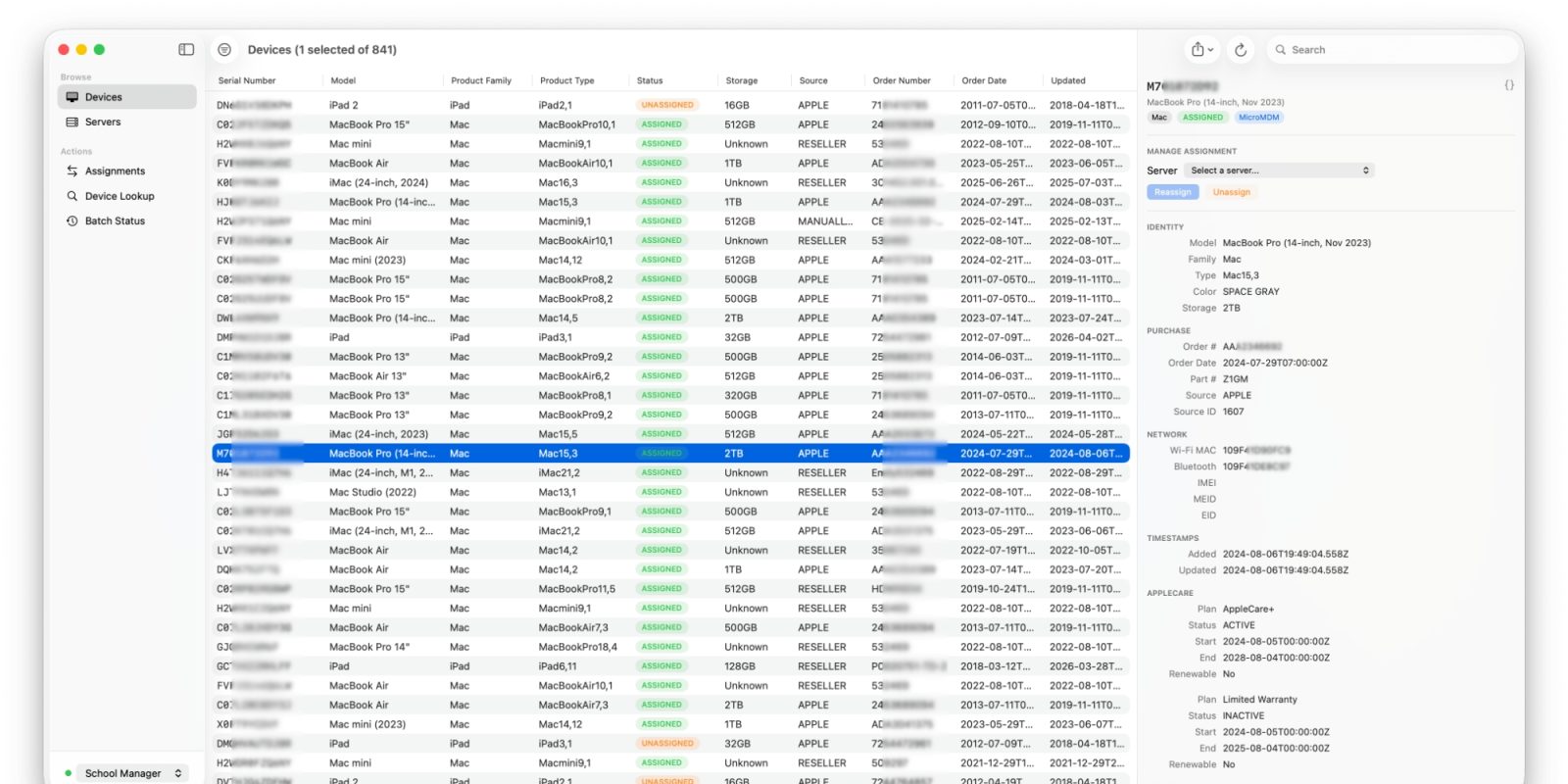
ASBMUtil is a native macOS application that brings the functionality of Apple Business Manager and Apple School Manager directly to your desktop. Instead of juggling browser tabs, you can use a familiar Mac interface with menus, shortcuts, and fast performance. The app leverages the official ABM/ASM APIs to access and manage device records, assignments, and MDM settings. Once authenticated, you can search, filter, and perform bulk actions on devices—such as reassigning them to different MDM servers or updating device metadata—without the lag of a web portal. ASBMUtil essentially provides a client-side wrapper around the APIs, offering a cleaner, more responsive experience for IT administrators who work daily with these systems.

What are the key benefits of using ASBMUtil for IT administrators?
The primary benefit is significant time savings. With native macOS features like keyboard shortcuts, drag-and-drop, and offline caching, administrators can perform device management tasks much faster than through the web interface. For instance, selecting multiple devices and applying a bulk action in ASBMUtil takes just a few clicks, whereas in the browser it might require navigating through several pages. Additionally, ASBMUtil provides better search and filtering capabilities, allowing you to quickly locate devices by serial number, model, or custom attributes. The app also supports automation: you can script or schedule certain operations, integrating seamlessly into larger IT workflows. Overall, ASBMUtil makes large-scale Apple device management less tedious and more efficient.
Does ASBMUtil replace the need for a Mobile Device Management (MDM) solution?
No, ASBMUtil does not replace an MDM solution—it complements it. While an MDM (like Mosyle, Jamf, or Intune) handles the ongoing management of devices after enrollment—pushing policies, installing apps, enforcing security—Apple Business Manager and ASBMUtil focus on the initial device lifecycle: enrollment, assignment to MDM, and device record management. ASBMUtil helps you manage the device records within ABM/ASM, such as changing which MDM server a device is assigned to. Once devices are properly assigned and enrolled, your MDM takes over. Therefore, both tools are necessary: ASBMUtil for the portal side, and an MDM for the device side.
Is ASBMUtil related to Mosyle, the sponsor of this article?
The article is brought to you by Mosyle, the only Apple Unified Platform that integrates all necessary solutions for deploying, managing, and protecting Apple devices in one professional-grade platform. While Mosyle offers extensive MDM and security features, ASBMUtil is not a Mosyle product; it is a third-party tool developed to work with Apple's official APIs. However, both ASBMUtil and Mosyle share the goal of simplifying Apple device management at scale. Organizations using Mosyle as their MDM can still benefit from ASBMUtil to streamline their ABM/ASM workflows, making the entire deployment process even more efficient.